On your own project
With the desktop app, VECTA Cloud supplies the model while files and terminal tools run on your computer. You see each action and approve the ones that need it.
No API key
Not paying for Claude or ChatGPT? Choose VECTA Cloud and start: the model comes from VECTA, so there is no key to paste and no plan to buy. Let it edit files in a project on your own computer, or start a Cloud project right in your browser.
Cloud work uses a free allowance with a daily limit.
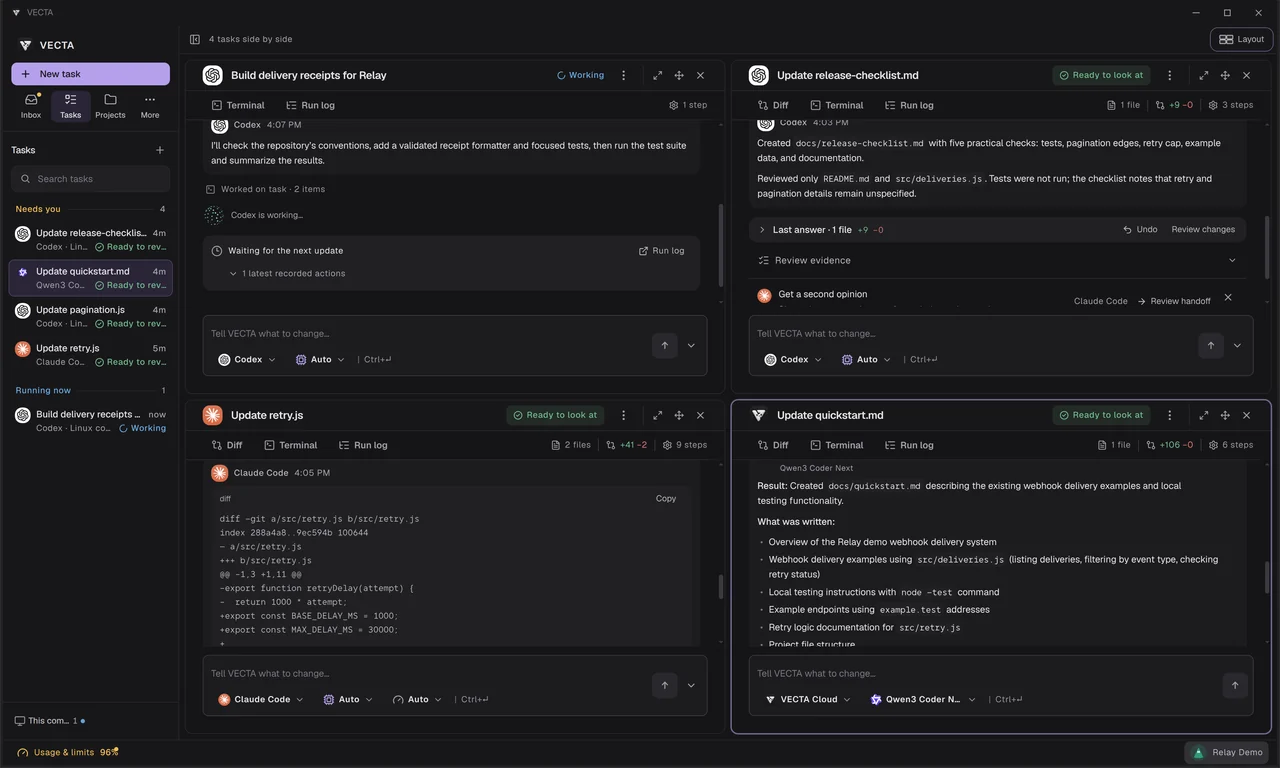
Sign up for VECTA. There is nothing to buy and no key to add.
In a new task, pick VECTA Cloud and leave the model on Auto, or choose one from the current list, such as Qwen or DeepSeek.
Connect your computer to let the agent work on an existing project, or create a Cloud project to start in the browser.
With the desktop app, VECTA Cloud supplies the model while files and terminal tools run on your computer. You see each action and approve the ones that need it.
A Cloud project keeps the conversation and the text and code files it creates; copy or download them. It does not upload your local repository or run terminal commands.
When you get Claude Code, Codex or Gemini CLI, connect them to the same projects. VECTA works with all of them.
A Cloud task starts only when your allowance covers it, within a daily limit and one task at a time. Your account shows what is left.
The VECTA app is free on your own computer. VECTA Cloud is free within a small allowance with a daily limit, and Founding Builders can get extra Cloud credits for real work.
Auto picks a model for you. You can also choose one from the current list in the app, which includes open models such as Qwen and DeepSeek. The list changes as better models arrive.
Your request and the project context the task needs go to VECTA’s cloud and its model provider. Keep passwords and keys out of the conversation.
On your own computer, yes: terminal tools run there, with your approval where it is needed. A Cloud project in the browser works with the conversation and files only.
Yes. Connect them on your computer and choose them for each task; your projects and history stay in the same workspace.
Create an account, choose VECTA Cloud and describe what you need.
Get VECTA free