Answer its questions
When Claude Code asks which way to go, you see the question and its options. Pick one, or type a different instruction.
Claude Code from your phone
Start a task on your computer and step away. When Claude Code asks a question or needs permission, open VECTA in your phone’s browser, answer in a tap and read what changed. No SSH, no remote desktop, no app to install.
Free on your own computer. Claude Code keeps your existing sign-in.
Install VECTA on the computer with your project and Claude Code, sign in and connect it. Claude Code keeps its own sign-in: VECTA never asks for your Anthropic password.
Describe the change in plain words and choose Claude Code. By default it works in a separate copy of the project, so you can review the changes before you keep them.
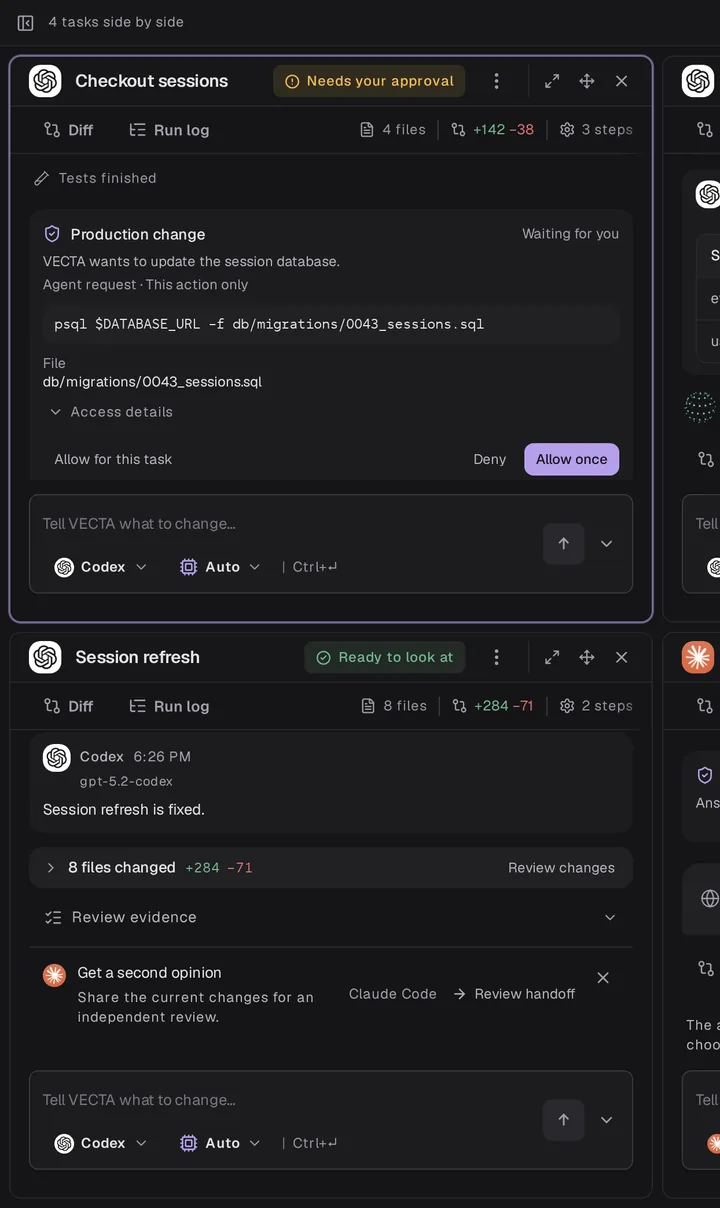
Open app.vecta.build on your phone and sign in with the same account. Tasks that need you are at the top: answer the question, allow or deny the action, read the diff.
When Claude Code asks which way to go, you see the question and its options. Pick one, or type a different instruction.
A command or a change that needs permission waits for you, showing exactly what will run. Allow it once or deny it.
See the changed files, the diff and the checks the agent ran before you decide what to keep.
The desktop app shows a system notification, and VECTA can email you when a task you started has waited ten minutes.
Yes. Claude Code runs on your computer, so it has to stay awake and online while it works. Your phone shows the task and sends your answers; it does not run the agent.
No. VECTA works in your phone’s browser. Open app.vecta.build and sign in with the same account you use on the computer.
Your project stays on your computer, and Claude Code talks to Anthropic as it always does. To show a task on another device, VECTA passes its conversation, status and changes through your account, and the service checks workspace access before showing them.
VECTA is free on your own computer, with all features and unlimited projects and tasks. Anthropic bills your Claude plan or API usage as usual.
Yes. Codex, Gemini CLI, Qwen Code, Kimi Code and OpenCode work the same way, and you choose the agent for each task.
Connect your computer once, and every Claude Code task you start there is a tap away on your phone.
Get VECTA free