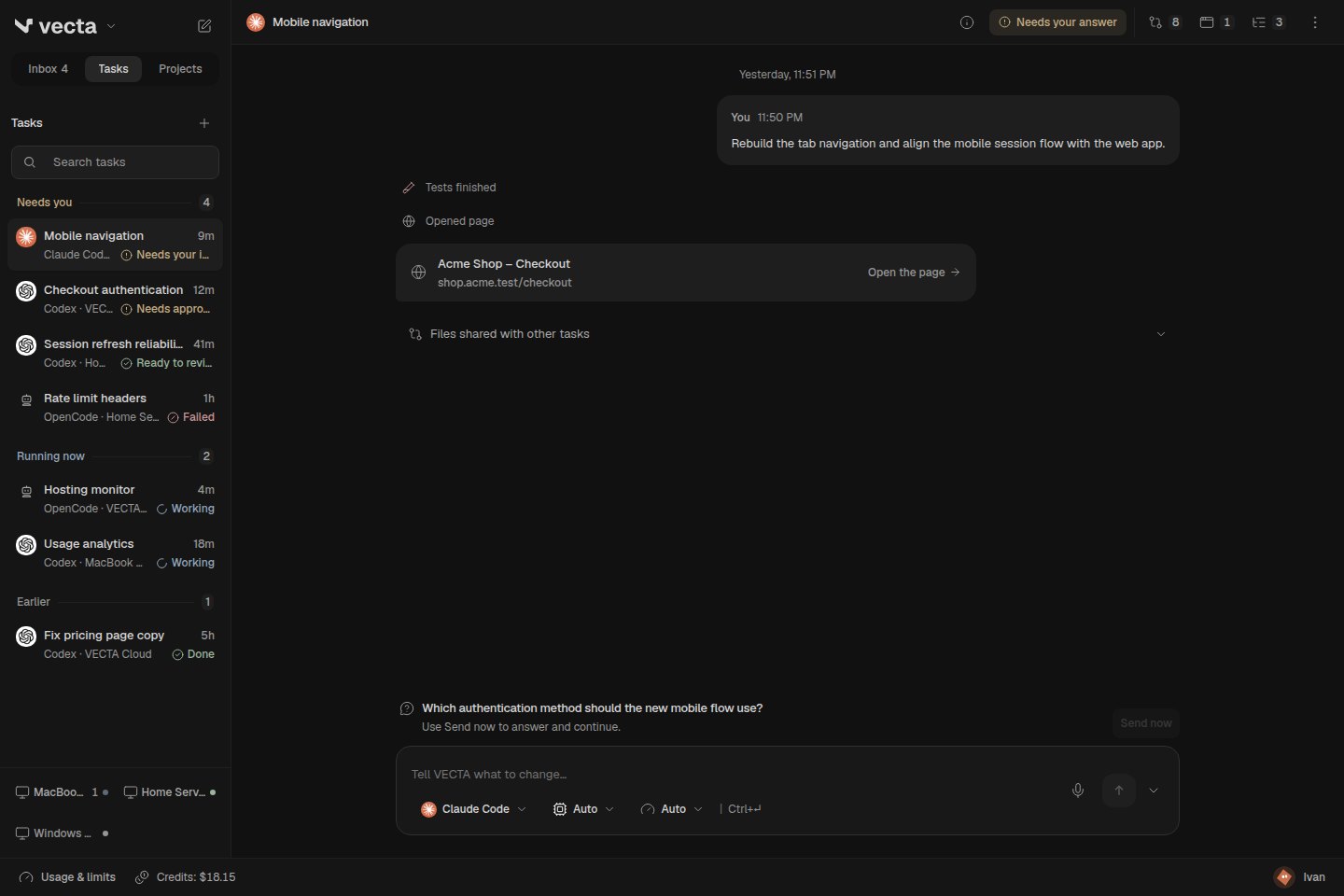
What changed
- The sidebar gives most of its space to your tasks. Inbox, Tasks and Projects stay close; AI, Skills, Computers, Automations and People live in one menu.
- Set up only what the task needs
- The board uses quiet status badges and consistent filters. Forms keep your draft after a failed save, explain how to retry and prevent duplicate actions while a request is pending.
Keep conversations within reach
The sidebar gives most of its space to your tasks. Inbox, Tasks and Projects stay close; AI, Skills, Computers, Automations and People live in one menu.
A task header keeps the title, current status and useful tools in one row. Open its context to check the project, agent, computer and file access. On a phone, tools move into a labelled menu.
Set up only what the task needs
Start with your request. Project and AI choices stay beside the composer; optional run settings expand when needed. Agent questions appear beside your answer instead of filling the conversation with a large card.
The board uses quiet status badges and consistent filters. Forms keep your draft after a failed save, explain how to retry and prevent duplicate actions while a request is pending.
Connect your GLM Coding Plan
Z.ai is a separate agent choice, powered by Claude Code on your computer. Connect your subscription key, choose a GLM model and use the same file, command and approval flow as your other tasks. The bundled Z.ai logo identifies both the agent and its models.
The connection uses the Coding Plan endpoint without switching to a separately billed API. Key and model access are checked on the first task. Claude Code must be installed on the selected computer; image attachments are not supported by this connection yet.
One design through the smaller details
Menus, dialogs, disclosures, first-run guidance and computer pairing share compact spacing, neutral surfaces and readable type. Keyboard focus, touch targets and reduced-motion behavior are part of the same pass.
Permissions remain explicit. Requests to change files, connect a computer or enable broader access still show their consequences and require the same confirmation.
Web, Linux and Windows. macOS builds are released separately.
Reactions are public totals. Your choice is saved in this browser.